Category: General

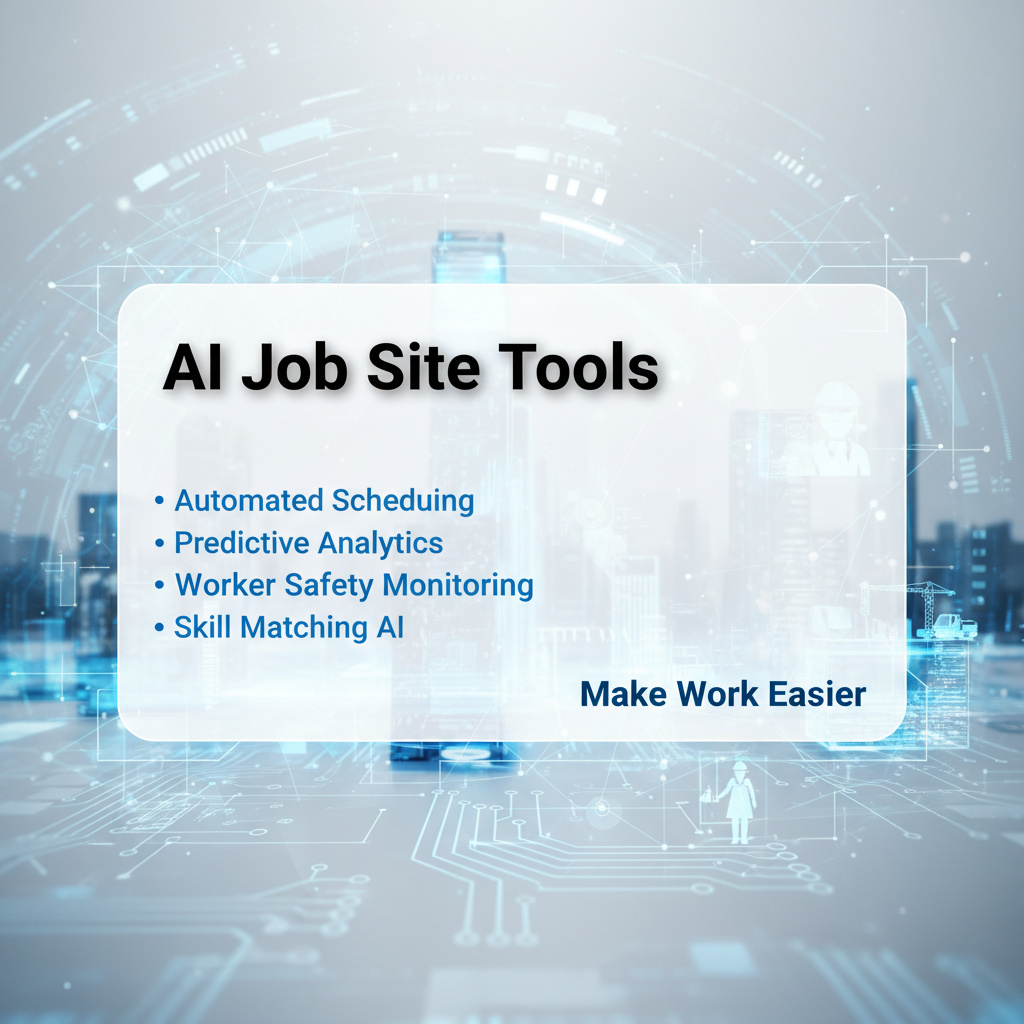
  • AI Job Site Tools & Construction Site Automation for Contractors

    AI Job Site Tools & Construction Site Automation for Contractors

    AI Job Site Tools: Revolutionizing Construction Operations

    In the fast-paced world of construction, efficiency and safety are non-negotiable. AI job site tools are emerging as game-changers, enabling contractors to streamline operations, enhance productivity, and ensure worker safety. Here’s how these tools are transforming the industry.

    Real-Time Project Management with AI

    AI-powered platforms like Procore and PlanGrid offer real-time insights into project timelines, budgets, and resource allocation. By automating data collection and analysis, these tools help contractors:

    • Reduce Delays: Identify potential bottlenecks before they escalate.
    • Optimize Resources: Ensure equipment and labor are utilized effectively.
    • Enhance Collaboration: Facilitate seamless communication among teams.

    Case Study: Procore in Action

    A leading construction firm used Procore to manage a $50 million project. The result? A 20% reduction in overhead costs and on-time delivery, thanks to better resource management.

    Enhancing Safety with Smart Wearables

    Wearable technology like smart helmets and safety vests equipped with sensors are now standard on job sites. These devices:

    • Monitor Vital Signs: Alert supervisors if workers are at risk of heat stress or fatigue.
    • Track Movements: Ensure compliance with safety protocols by monitoring high-risk areas.
    • Provide Instant Feedback: Enable workers to receive real-time safety alerts.

    Example: Smart Helmets in Action

    Smart helmets equipped with AR technology allow workers to access blueprints and instructions hands-free, reducing errors and improving safety compliance.

    AI-Powered Analytics for Better Decision-Making

    Tools like Autodesk BIM 360 leverage AI to analyze project data and provide actionable insights. Benefits include:

    • Predictive Analytics: Forecast potential issues based on historical data.
    • Cost Control: Identify areas of overspending before they impact the budget.
    • Quality Assurance: Ensure adherence to specifications and standards.

    Data-Driven Success: A Construction Firm’s Journey

    After implementing BIM 360, a mid-sized contractor reduced rework by 30% and improved client satisfaction through higher-quality deliverables.

    Overcoming Challenges in Adoption

    While AI job site tools offer immense benefits, challenges like resistance to change and integration issues can hinder adoption. To overcome these:

    • Provide Training: Equip teams with the skills to leverage new tools effectively.
    • Start Small: Implement solutions in phases to build confidence.
    • Showcase ROI: Highlight quick wins to gain buy-in from stakeholders.

    The Future of Construction: AI-Driven Innovation

    As AI job site tools become more advanced, they’ll play an even larger role in shaping the future of construction. From autonomous drones for site inspections to AI-powered project simulations, the possibilities are endless.

    Ready to transform your job site operations? Explore our guide on the latest AI tools for contractors.


  • Automation ROI Contractors Must Know for Revenue Growth

    Automation ROI Contractors Must Know for Revenue Growth

    Automation isn’t just about saving time—it’s about driving revenue growth. For contractors, understanding the ROI of automation is key to making smart investments that pay off. Let’s break down the numbers and show how automation can transform your business.

    Why ROI Matters for Contractors

    Return on investment (ROI) is the measure of how effectively your business spends money to generate revenue. For contractors, every dollar counts, making it essential to invest in tools that deliver measurable results.

    Key Benefits of Measuring ROI

    • Informed Decision-Making: Understand which tools and processes drive real value.
    • Budget Optimization: Allocate resources to automation that delivers the highest returns.
    • Growth Tracking: Measure how automation contributes to revenue and efficiency improvements.

    How to Calculate Automation ROI

    Calculating ROI is straightforward. Use this formula:

    ROI = (Net Profit from Automation / Cost of Automation) x 100

    Step-by-Step Example

    A contractor invests $5,000 in project management software. The tool saves 100 hours of labor, valued at $50/hour, and prevents $1,000 in project delays.

    1. Net Profit: (100 hours x $50) + $1,000 = $6,000.
    2. Cost: $5,000.
    3. ROI: (6,000 / 5,000) x 100 = 120%.

    This contractor gained $1.20 for every dollar spent, proving the software’s value.

    Real-World ROI: Automation Success Stories

    Let’s look at how contractors are leveraging automation to drive revenue.

    Case Study: Streamlining Invoicing

    A small electrical contractor automated invoicing using cloud-based software. The results:

    • Time Saved: 80 hours/month.
    • Increased Cash Flow: 30% faster payments.
    • Annual Savings: $12,000 in labor costs.

    Case Study: Improving Client Communication

    A landscaping business used automated email reminders to reduce no-shows. The impact:

    • Client Retention: 15% increase.
    • Revenue Boost: $5,000/month from repeat clients.
    • Efficiency Gain: 20% less time spent on follow-ups.

    Challenges in Measuring ROI and How to Overcome Them

    Contractors often struggle to quantify automation benefits. Here’s how to address common obstacles:

    Data Collection Issues

    Solution: Use integrated software that tracks time, costs, and outputs automatically.

    Short-Term Focus

    Solution: Recognize long-term gains, like improved customer loyalty and reduced errors.

    Resistance to Change

    Solution: Train staff on tools to ensure smooth adoption and highlight early wins.

    Future-Proofing Your Business with Automation

    As technology evolves, contractors must adapt to stay competitive. Measuring ROI ensures you invest in solutions that:

    • Scale with Your Business: Grow without proportional increases in costs.
    • Enhance Customer Experience: Deliver consistent, high-quality service.
    • Drive Innovation: Free up resources for strategic initiatives.

    Your Next Steps

    Ready to harness automation for revenue growth? Start by identifying one area to automate, like invoicing or scheduling. Measure the impact, and watch your business thrive.

    What’s your biggest automation success or challenge? Share your story below!

  • Contractor CRM Tools: Boost Sales with Construction Automation

    Contractor CRM Tools: Boost Sales with Construction Automation

    Unlock the Power of Contractor CRM Tools for Your Business

    In the fast-paced world of construction, managing client relationships and projects efficiently is crucial. That’s where contractor CRM tools come into play. These tools help streamline operations and boost productivity.

    One of the key benefits of construction CRM automation is the ability to automate repetitive tasks. For instance, sales automation for contractors can handle lead nurturing, allowing you to focus on closing deals.

    Implementing these systems can lead to significant improvements in your workflow. Explore more about sales automation to enhance your business processes.

    For a deeper dive, check out our guides on lead generation and business process automation. Don’t forget to visit tools for additional resources.

  • Contractor CRM Tools: Boost Sales with Construction Automation

    In the competitive world of contracting, closing deals is the lifeblood of success. Smart CRM tools designed for contractors streamline this process, turning leads into loyal clients with ease.

    The Contractor’s Secret Weapon: CRM Tools

    Contractor-specific CRMs like Procore and Buildertrend are tailored to meet the unique challenges of the industry. They go beyond traditional CRM functions, offering features that align with project management, budgeting, and client communication.

    Why CRMs Are Essential for Contractors

    • Centralized Information: Keep all project details, client interactions, and financials in one accessible place.
    • Automated Follow-Ups: Ensure no lead slips through the cracks with timely reminders and emails.
    • Real-Time Insights: Monitor project progress and sales pipelines with data-driven dashboards.

    How CRMs Boost Sales and Efficiency

    Smart CRMs do more than organize data—they transform how contractors operate and grow.

    1. Streamline Lead Management

    With built-in pipelines, CRMs help contractors prioritize high-value leads and track their journey from inquiry to contract.

    2. Enhance Client Communication

    Personalized emails, automated updates, and instant access to client histories build stronger relationships and trust.

    3. Improve Project Coordination

    By integrating with project management tools, CRMs ensure sales teams stay aligned with operational timelines and deliverables.

    Real-World Impact: Success Stories

    Contractors using smart CRMs report significant improvements in efficiency and revenue:

    • 30% Faster Closures: Streamlined processes reduce the time from lead to signed contract.
    • 20% Higher Revenue: Improved follow-ups and upselling opportunities boost sales.
    • Enhanced Team Collaboration: Centralized data keeps everyone—from business to site managers—on the same page.

    Choosing the Right CRM for Your Business

    Not all CRMs are created equal. Here’s how to pick the best fit:

    Key Features to Look For:

    • Customizable sales pipelines.
    • Integration with accounting and project management tools.
    • User-friendly mobile access for on-site teams.

    Top Picks for Contractors:

    • Procore: Best for large-scale projects with complex workflows.
    • Buildertrend: Ideal for residential and commercial contractors.
    • Zoho CRM: A flexible, budget-friendly option for small to mid-sized businesses.

    Getting Started: Your CRM Action Plan

    1. Assess Your Needs: Identify gaps in your current process and what features will solve them.
    2. Trial Before You Buy: Most CRMs offer free trials—use them to test compatibility.
    3. Train Your Team: Ensure everyone understands how to leverage the CRM for maximum impact.

    Future-Proof Your Business with Smart Automation

    As your business grows, a robust CRM becomes even more critical. It scales with you, ensuring Efficiency and client satisfaction remain top priorities.

    Ready to Transform Your Sales Process?

    Start by implementing a CRM that aligns with your goals. Watch as it revolutionizes your lead management, project coordination, and revenue growth.

    Your Next Step: Download our free guide, “Choosing the Right CRM for Contractors,” and take the first step toward smarter automation.

  • Contractor Scheduling Software: AI Calendar Automation Simplified

    Contractor Scheduling Software: AI Calendar Automation Simplified

    Contractor Scheduling Software: AI Calendar Automation Simplified

    For scheduling, time is money. Balancing multiple projects, client meetings, and team schedules can feel like juggling flaming torches. But what if AI could take over the most tedious parts of scheduling, freeing you to focus on what truly matters?

    The Power of AI Calendar Automation

    AI calendar automation isn’t just a luxury—it’s a game-changer. Here’s how it transforms software businesses:

    • Eliminates Double Bookings: Smart algorithms ensure no overlapping appointments.
    • Saves Hours Every Week: Automates repetitive scheduling tasks.
    • Improves Client Satisfaction: Guarantees timely responses and organized meetings.

    Key Features of AI-Powered Scheduling Software

    Not all scheduling tools are created equal. Look for these must-have features:

    1. Smart Availability Detection

    Automatically syncs with team calendars to show only open slots.

    2. Customizable Booking Links

    Creates professional, branded links for clients to book appointments seamlessly.

    3. Integration with Project Management Tools

    Connects scheduling with task management for real-time updates.

    How to Choose the Right Contractor Scheduling Software

    With so many options available, how do you pick the best fit? Follow these steps:

    Step 1: Identify Your Needs

    Do you need basic appointment setting or advanced features like team collaboration and invoicing?

    Step 2: Evaluate User Experience

    A tool is only as good as its usability. Opt for software with a clean interface and mobile access.

    Step 3: Check for Scalability

    Your business will grow—choose a solution that can grow with you.

    Top AI Calendar Automation Tools for Contractors

    Here are three standout options:

    1. Calendly

    Best for simple, effective scheduling with clients. Offers seamless integrations with popular tools.

    2. Acuity Scheduling

    Ideal for contractors needing advanced features like payment processing and reminders.

    3. HubSpot Meetings

    Part of the HubSpot CRM, it’s perfect for managing client interactions and follow-ups.

    Real-World Impact: A Contractor’s Success Story

    Take the example of GreenThumb Landscaping. Before using AI scheduling, they spent hours each week coordinating jobs and client meetings. Now:

    • 95% fewer scheduling conflicts.
    • 20% increase in billable hours.
    • Happier clients, smoother operations.

    Tips for Maximizing Your Scheduling Software

    Make the most of your AI tool with these best practices:

    • Regularly Update Team Calendars: Ensure accurate availability at all times.
    • Use Automated Reminders: Reduce no-shows and missed appointments.
    • Train Your Team: Ensure everyone knows how to leverage the software effectively.

    Ready to Simplify Your Scheduling?

    AI AI automation isn’t just about saving time—it’s about transforming how you work. Ready to take the leap?

    Try our recommended scheduling software today and watch your productivity soar.

    Your Turn

    How has scheduling software changed your business? Share your experiences and tips below!

    Automation

    Calendar

  • Contractor Lead Automation: Boost Customer Retention & Marketing

    Contractor Lead Automation: Boost Customer Retention & Marketing

    Turn Leads into Loyal Customers with Automation

    For contractors, the real challenge isn’t just attracting leads—it’s turning them into loyal customers. Marketing automation bridges this gap, ensuring you stay top-of-mind while delivering personalized experiences that build trust.

    Why Customer Retention Matters

    Retaining existing customers is five times cheaper than acquiring new ones. For contractors, loyal clients not only return but also refer you to others, creating a self-sustaining growth cycle.

    The Cost of Losing Customers

    • Increased marketing spend to replace lost business.
    • Damage to your brand reputation due to inconsistency.
    • Missed opportunities for upselling and cross-selling.

    How Marketing Automation Drives Retention

    Automation ensures you deliver the right message at the right time, fostering relationships without overwhelming your team.

    Key Automation Strategies:

    1. Follow-Up Sequences: Automatically send thank-you emails, reminders, or surveys after projects.
    2. Loyalty Programs: Use automation to manage rewards and keep customers engaged.
    3. Personalized Content: Deliver tailored tips or offers based on customer preferences.

    Real-World Example: A Contractor’s Success Story

    A roofing contractor implemented an automated follow-up system, sending personalized messages after each job. The result? A 30% increase in repeat business and glowing online reviews.

    Steps to Implement Automation:

    1. Choose the right tools (e.g., HubSpot, Mailchimp).
    2. Map out your customer journey and touchpoints.
    3. Test and refine your workflows for maximum impact.

    What If Automation Feels Overwhelming?

    Start small. Focus on one process, like follow-ups, before expanding. Many tools offer user-friendly templates to simplify setup.

    Pro Tip:

    Regularly analyze your automation metrics to ensure they align with your retention goals. Adjust as needed to stay effective.

    Your Turn: Boost Retention with Automation

    Ready to turn leads into loyal customers? Start by automating your follow-up process and watch your retention rates soar.

    What’s your biggest challenge in customer retention? Let’s discuss solutions below.

  • Contractor Lead Automation: From Marketing to Customer Retention

    Contractor Lead Automation: From Marketing to Customer Retention

    In the competitive world of contracting, leads are just the beginning. The real challenge is turning those leads into loyal customers. That’s where automation comes in.

    The Power of Lead Automation

    Contractor lead automation streamlines the process of capturing, nurturing, and converting leads. It ensures that no opportunity slips through the cracks while saving your team countless hours.

    How It Works:

    • Smart Capture: Use forms, chatbots, and landing pages to gather lead information effortlessly.
    • Automated Follow-Ups: Send personalized emails or texts to keep your brand top-of-mind.
    • Data-Driven Insights: Analyze lead behavior to tailor your approach and increase conversions.

    Building Customer Loyalty with Automation

    Once you’ve converted a lead, the next step is retaining them. Marketing automation plays a crucial role in customer retention.

    Retention Strategies:

    • Loyalty Programs: Use automated systems to reward repeat customers and encourage referrals.
    • Personalized Content: Send tailored newsletters or updates that resonate with your customers’ needs.
    • Feedback Loops: Automate surveys to gather insights and improve your services continuously.

    Real-World Example: A Contractor’s Success Story

    A veteran-owned roofing company implemented automation to capture inquiries from their website. They saw:

    • A 30% increase in lead-to-customer conversions.
    • A 25% reduction in follow-up time.
    • Stronger relationships through personalized post-service emails.

    Make Automation Your Competitive Edge

    In a crowded market, the businesses that thrive are those that deliver exceptional experiences. Automation helps you do just that—consistently and efficiently.

    Your Next Steps:

    • Invest in a CRM that integrates with your lead capture tools.
    • Map out your customer journey to identify lead opportunities.
    • Start small, then scale as you see results.

    Ready to transform your lead management and customer retention? Let’s talk about the tools and strategies that can make it happen.

  • Top Contractor Apps Automation & Time Saving Tools to Boost Productivity

    Top Contractor Apps Automation & Time Saving Tools to Boost Productivity

    As a contractor, your time is precious. The right apps can help you save hours each week, streamline operations, and boost productivity. Here are the top five contractor tools you can’t afford to miss.

    1. Procore: Construction Management Made Easy

    Procore is an all-in-one construction management platform designed to keep projects on track. From budgeting to scheduling, it offers tools that simplify complex workflows.

    • Key Features: Real-time project updates, budget tracking, and team collaboration tools.
    • Why It Works: Reduces miscommunication and ensures everyone is aligned on project goals.

    2. Buildertrend: The Ultimate Job Site App

    Buildertrend is perfect for contractors looking to manage everything from client communication to job scheduling in one place.

    • Key Features: Daily logs, photo sharing, and invoicing tools.
    • Why It Works: Keeps your team organized and clients informed, reducing delays.

    3. QuickBooks: Financial Clarity for Contractors

    QuickBooks isn’t just for accountants—it’s a must-have for contractors who want to manage payroll, expenses, and invoices effortlessly.

    • Key Features: Expense tracking, tax preparation, and financial reporting.
    • Why It Works: Saves time on bookkeeping and ensures you stay profitable.

    4. Trello: Visual Task Management

    Trello’s simple, card-based system makes it easy to track tasks, deadlines, and project milestones.

    • Key Features: Customizable boards, due dates, and team assignments.
    • Why It Works: Provides a clear overview of what needs to be done and who’s responsible.

    5. Slack: Instant Team Communication

    For contractors with remote teams or multiple job sites, Slack is essential for real-time communication.

    • Key Features: Channels for organized discussions, file sharing, and integrations with other tools.
    • Why It Works: Reduces email clutter and keeps conversations focused.

    Why These Apps Matter

    Using the right apps isn’t just about saving time—it’s about working smarter. These tools help you:

    • Minimize errors and rework.
    • Improve team collaboration.
    • Deliver projects on time and within budget.

    Get Started Today

    Ready to transform your workflow? Start by integrating one of these apps into your daily routine and watch your productivity soar.

    Your Turn: What’s your favorite contractor app? Share your recommendations below and help others streamline their operations.

    productivity

  • Top Contractor Apps for Automation & Time Saving Tools

    Top Contractor Apps for Automation & Time Saving Tools

    Are you a contractor looking to save time and time and boost productivity? The right apps can transform your workflow, automation repetitive tasks, and give you hours back every week.

    Why Contractor Apps Are Essential

    From managing projects to tracking expenses, contractor apps streamline operations and ensure nothing falls through the cracks. Here’s how they help:

    • Reduce Administrative Time: Automate invoicing, scheduling, and communication.
    • Improve Collaboration: Keep teams aligned and projects on track.
    • Enhance Profitability: Optimize resource allocation and reduce waste.

    The Top 5 Contractor Apps

    1. Procore: All-in-One Project Management

    Procore is designed for construction professionals, offering tools for project management, budgeting, and field communication.

    • Key Features: Real-time collaboration, document sharing, and financial tracking.
    • Why It Works: Keeps projects on schedule and within budget, reducing costly delays.

    2. QuickBooks: Simplified Financial Management

    QuickBooks helps contractors manage invoices, payroll, and expenses effortlessly.

    • Key Features: Tax calculations, expense tracking, and financial reporting.
    • Why It Works: Ensures accurate financials and helps avoid cash flow issues.

    3. Trello: Visual Task Management

    Trello uses boards and cards to organize tasks, making it easy to prioritize and delegate work.

    • Key Features: Customizable workflows, due dates, and team assignments.
    • Why It Works: Provides clarity and accountability for every project phase.

    4. Slack: Instant Team Communication

    Slack is perfect for keeping your team connected, especially on large projects with multiple stakeholders.

    • Key Features: Channels for organized discussions, file sharing, and integrations with other tools.
    • Why It Works: Reduces email clutter and speeds up decision-making.

    5. Buildertrend: Construction-Specific Software

    Buildertrend offers project management, customer relationship management, and financial tools tailored for contractors.

    • Key Features: Scheduling, change order management, and client portals.
    • Why It Works: Streamlines every aspect of construction management in one platform.

    How to Choose the Right Apps

    Not all apps are created equal. Here’s how to pick the best ones for your business:

    • Identify Your Needs: Focus on areas where you spend the most time or face the biggest challenges.
    • Check Compatibility: Ensure the apps integrate seamlessly with your existing tools.
    • Read Reviews: Look for feedback from other contractors to gauge effectiveness.

    Maximize Your Investment

    To get the most out of your contractor apps:

    • Train Your Team: Ensure everyone knows how to use the tools effectively.
    • Regularly Review Processes: Adapt your workflows as your business grows.
    • Stay Updated: Keep apps updated to access the latest features and security improvements.

    Your Turn: What’s Your Go-To App?

    Share your favorite contractor apps in the comments below. Let’s build a toolkit that helps every contractor thrive!

  • Contractor Automation Tools for Follow Up System & Customer Communication AI

    Contractor Automation Tools for Follow Up System & Customer Communication AI

    Automating Customer Customer Follow-Ups Without Losing the Human Touch

    Building strong relationships with your clients doesn’t have to be time-consuming. With the right contractor automation tools, you can ensure timely follow-ups and meaningful communication while maintaining a personal touch.

    Why Follow-Ups Matter for Contractors

    Follow-ups are more than just reminders—they’re opportunities to strengthen client relationships, gather feedback, and drive repeat business. Here’s why they’re essential:

    • Build Trust: Consistent communication shows clients you care about their needs.
    • Boost Retention: Happy clients are more likely to return and refer others.
    • Enhance Professionalism: Thoughtful follow-ups set you apart from the competition.

    How Automation Makes Follow-Ups Effortless

    Automation doesn’t mean sacrificing personalization. Here’s how to use it effectively:

    1. Schedule Timely Reminders

    Use tools like HubSpot or Zoho CRM to set automated reminders for follow-ups based on client interactions.

    2. Personalize Your Messages

    With customer communication AI, you can send tailored emails or texts that address specific client needs or projects.

    3. Track Engagement and Feedback

    Advanced tools allow you to monitor open rates, responses, and client satisfaction, helping you refine your approach.

    Tools to Supercharge Your Follow-Up System

    Here are some contractor automation tools that excel in follow-up systems:

    • Mailchimp: Great for personalized email campaigns and newsletters.
    • Slack: Use integrations to send reminders or updates directly to your team.
    • Asana: Automate task assignments for follow-ups in your project management workflow.

    Real-World Example: A Contractor’s Success Story

    XYZ Contractors implemented a follow-up system using Zapier to connect their CRM with email automation. The result? A 30% increase in repeat business and happier clients.

    Balancing Automation with Authenticity

    To keep your communication genuine:

    • Use the client’s name and reference specific details from past interactions.
    • Avoid overly robotic language—aim for a friendly, conversational tone.
    • Mix automated messages with occasional personal check-ins.

    Your Next Steps for Better Follow-Ups

    Ready to enhance your client communication? Start by:

    1. Choosing one contractor automation tool to implement this week.
    2. Creating a follow-up schedule for your top clients.
    3. Measuring the impact on client satisfaction and retention.

    Let’s Make Follow-Ups a Breeze

    With the right tools and strategies, you can automate follow-ups without losing the human touch. What’s your favorite way to stay connected with clients? Share your tips below!

    Stay ahead of the game—subscribe to our newsletter for more contractor hacks!